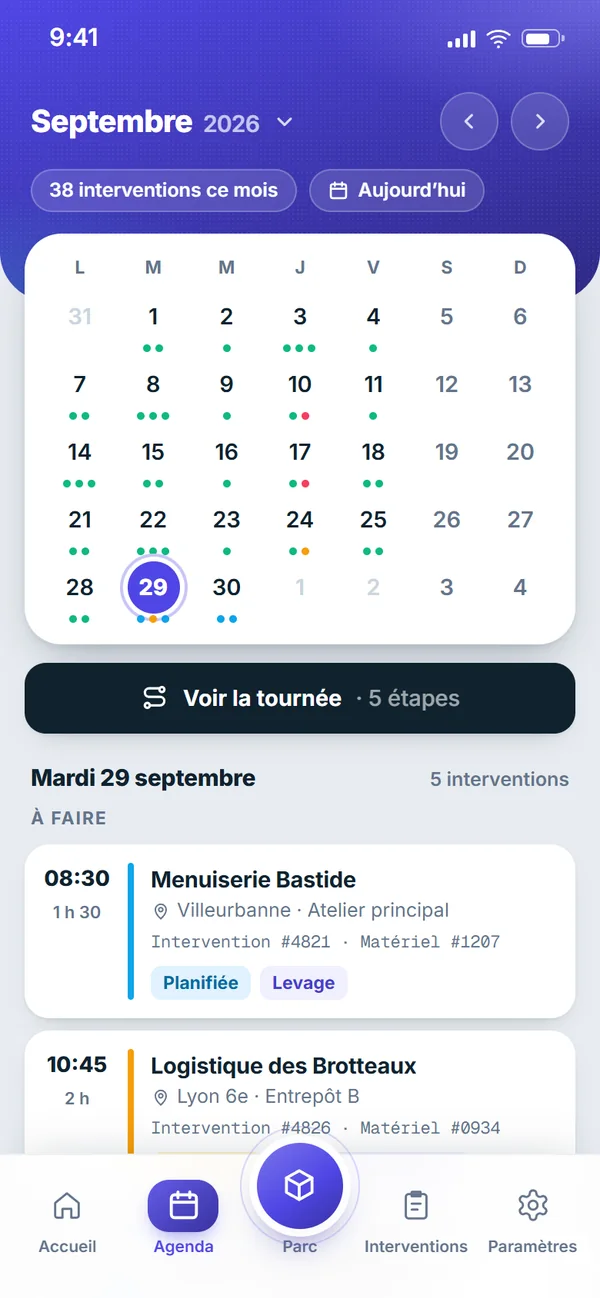
The day’s route
The calendar lists the day’s jobs in order, with the address and the appointment time. A route sheet chains the stops and opens the directions.
Octav also comes as a mobile app. Inspectors find their route, their clients’ equipment register and their inspection reports, which they fill in, sign and close on site — including where there is no signal. It is translated into 7 languages: French, English, German, Arabic, Spanish, Italian and Portuguese.
Included in the Octav subscription · Android 7.0 and later
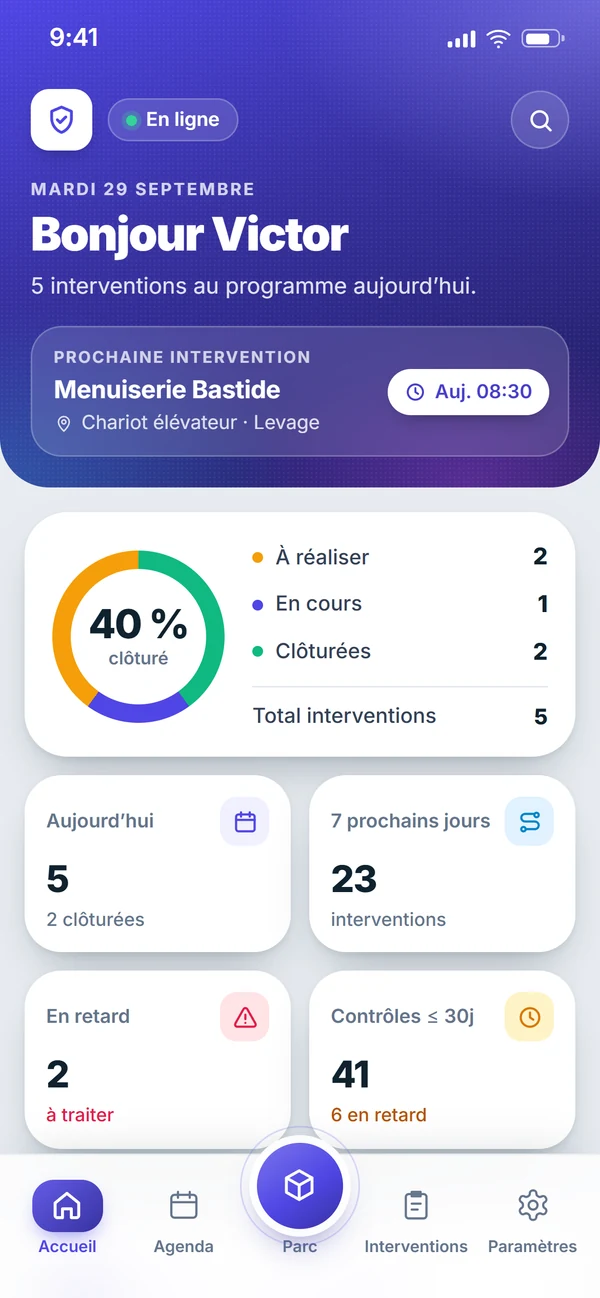
It is not the software made smaller: it is the tool of whoever is on site. Six gestures, from the first appointment of the day to the last signed report.
The calendar lists the day’s jobs in order, with the address and the appointment time. A route sheet chains the stops and opens the directions.
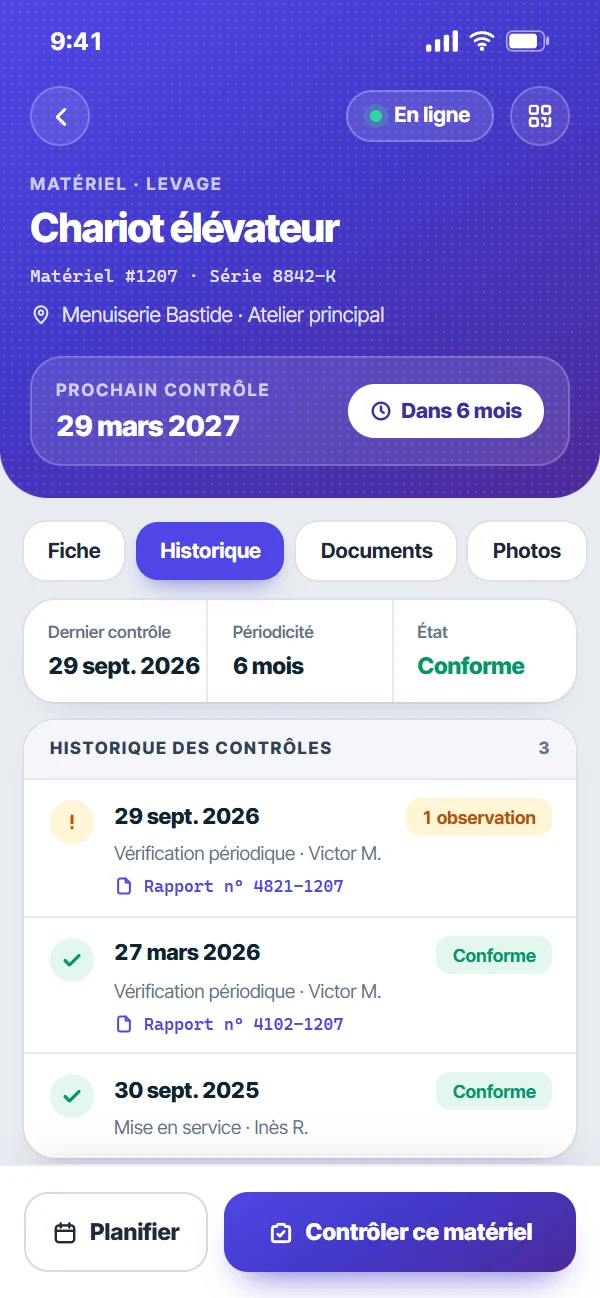
Clients, sites, equipment, due dates and inspection history are all at hand on site. Equipment missing from the register is created on the spot, then inspected straight away.
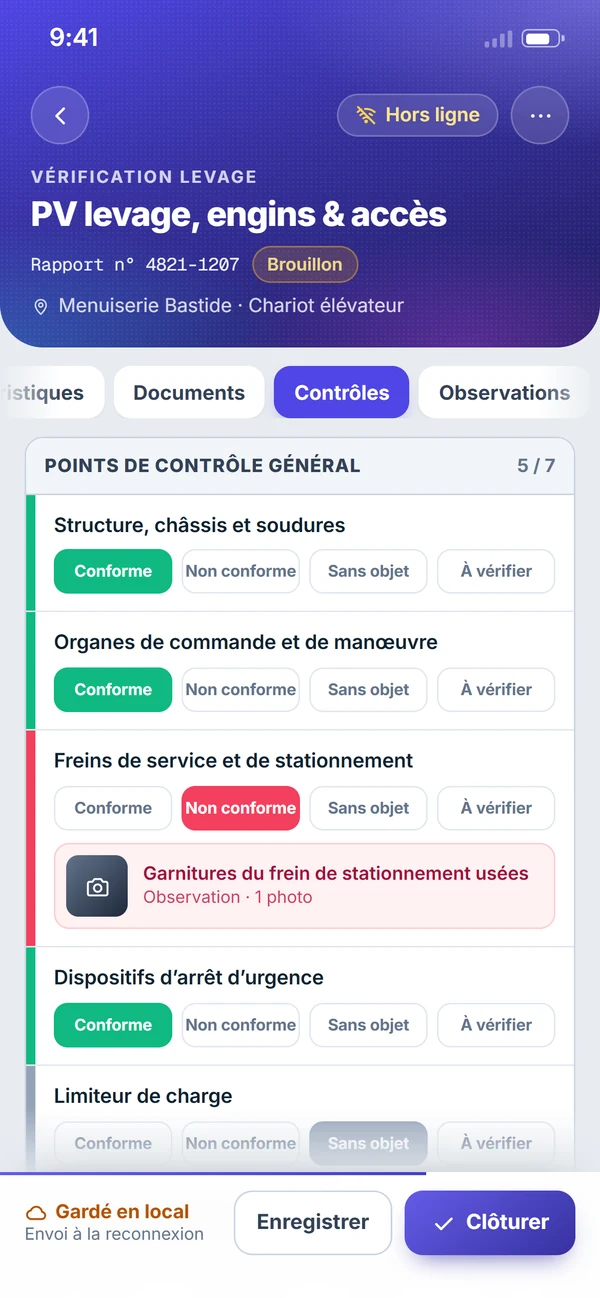
Each checkpoint is rated in one tap: compliant, non-compliant, not applicable, to be checked. The observation is written where it is found.
A photo is attached to the observation it illustrates. On lifting, machinery, playground and pump test reports, voice dictation fills in the fields when your hands are busy (connection required).
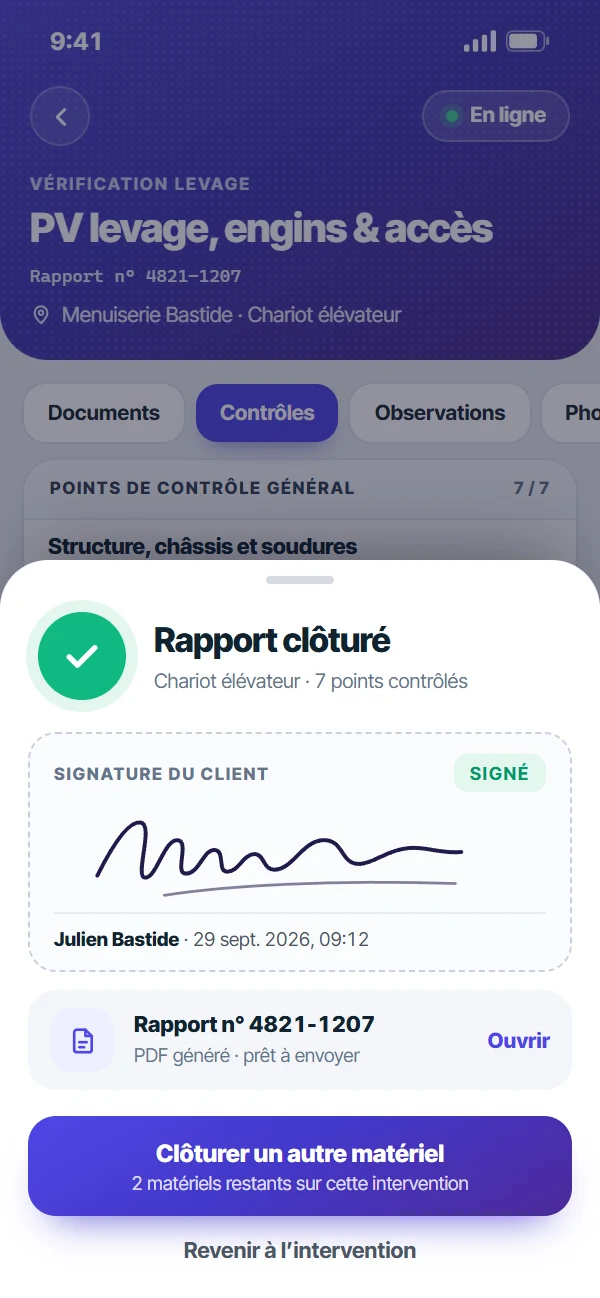
The client signs on screen, the report is closed before you leave, and the app offers the next piece of equipment on the job.
Over Bluetooth, the app reads flow and pressure from a compatible measuring device: the reading becomes the value in the report.
Pumps and hydraulics →Basements, covered car parks, metal warehouses, remote sites: that is often where the equipment to inspect is. The app keeps the register, the jobs and the reports in progress on the phone. Work carries on, and everything is sent on its own once the signal is back.
A few less common operations still need a connection.
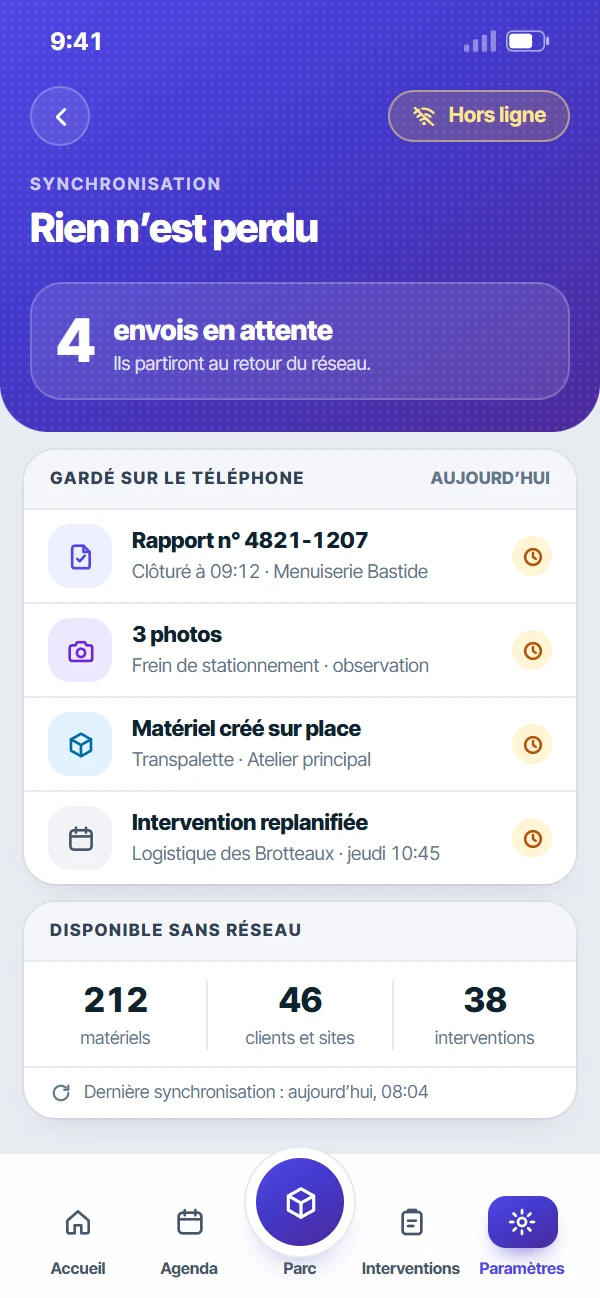
A report written up at the office in the evening costs twice: the time spent retyping, and the detail lost in between. In the app, the report is built during the inspection and closed in front of the client.
In front of a piece of equipment, the first question is always the same: when was it last inspected, and what was found? The equipment record answers on site, without calling the office.
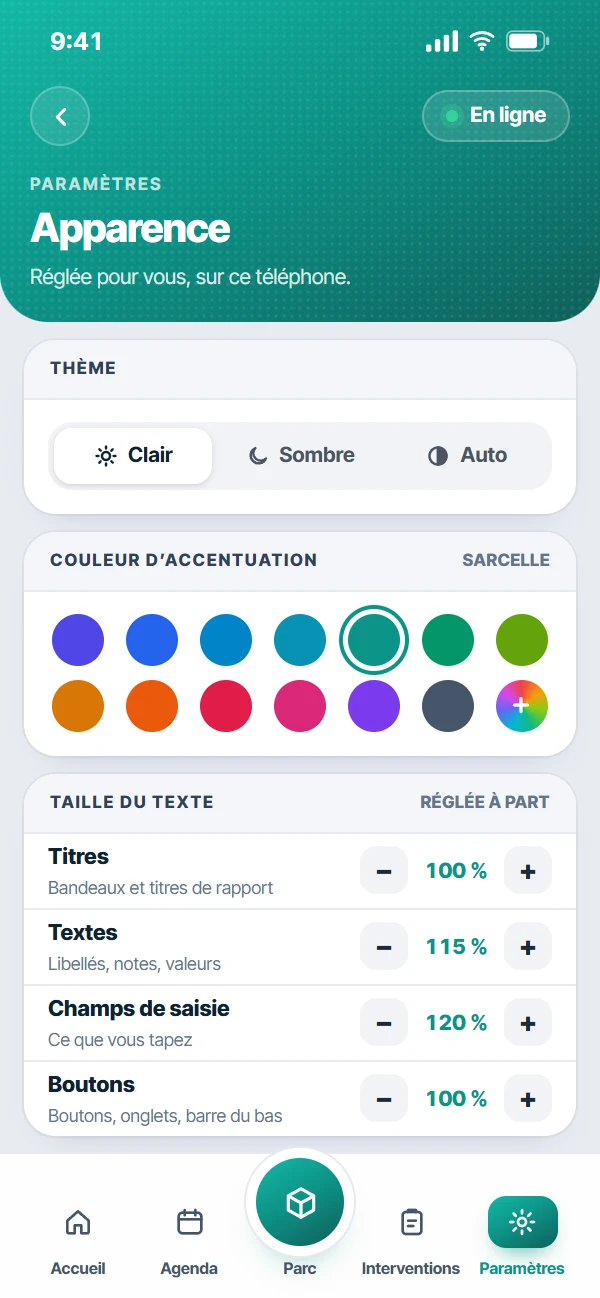
Everyone sets the app up their own way, on their own phone: colour, theme, text size and language. Tired eyes at the end of the day, full sun on the screen, a badly lit basement: the display adapts to the field, not the other way round.
A forklift, a harness and a fire extinguisher are not inspected against the same checklist. The report changes with the equipment, and so does the app.
Electrical inspections are entered in the web software.
Both share the same account and the same data. The app serves the field, the inspection software serves the office.
| Area | Mobile app | Web software |
|---|---|---|
| Route and scheduling | Today’s jobs, route sheet, directions | Team schedule, recurrences, route optimisation |
| Equipment register | Lookup, creation on site, history per item | Imports, exports, naming scheme, map |
| Inspection reports | Entry, photos, dictation, signature and sign-off on site | Report templates, layout, sending to the client |
| Back office | At the office: the phone stays a field tool | Quotes, invoices, e-invoicing, client portal |
The office side in detail: all Octav features.
Nothing to configure on the phone: the app picks up the settings, the permissions and the report templates of your Octav workspace.
The Octav app installs on an Android phone or tablet (version 7.0 or later). The download buttons will be switched on here once the store listings open.
Same login as the web software. No separate account, no per-device licence: users are unlimited.
On first launch, the app fetches the register and the jobs. After that it follows the inspector, with or without a signal.
Not a client yet? See the app in a demo, on your own equipment: book a demo.
A mobile inspection app is the field tool of an inspector in charge of periodic inspections. It brings together, on a phone or a tablet, the day’s route, the clients’ equipment register and the inspection reports to fill in on site. The Octav app extends the Octav inspection software into the field: both share the same account and the same data.
The download buttons on this page will be switched on once the store listings open. The app installs on an Android phone or tablet (version 7.0 or later) and asks for an Octav account. Until then, contact us and we will tell you how to get it.
No. The download is free and use of the app is included in the Octav subscription, which is billed by the number of equipment items tracked. Since users are unlimited, equipping one more inspector does not change the bill.
Yes. The register, the jobs and the reports in progress are kept on the device: you can look things up, enter data, take photos and close a report with no connection. Whatever was done offline is sent automatically once the signal is back, and the app shows a summary of what was sent. A few less common operations need a connection.
Not yet. The app exists for Android today; the iPhone version is not available for now. On iPhone and iPad, Octav is used from the browser: the web software adapts to the phone screen, with the same account and the same data.
Inspections of lifting equipment, accessories and PPE, fire safety equipment, lifelines and ladders, racking, playgrounds, defibrillators and amusement rides, as well as flow and pressure readings over Bluetooth. Electrical inspections are entered in the web software.
Those an inspection needs, when it needs them: the microphone for voice dictation, Bluetooth for measuring devices, location to place a piece of equipment or a site, and notifications if you turn them on. Location is only read on request, never in the background. Dictation is transcribed by the phone: only the text goes into the report.
Yes, by each inspector on their own phone: accent colour (13 shades or a colour of your own), light, dark or automatic theme, text size set separately for titles, text, input fields and buttons, from 80 to 160%, and interface language. Your company logo appears on the home screen.
7 languages: French, English, German, Arabic, Spanish, Italian and Portuguese. Each inspector picks their own in the app settings, along with the light or dark theme.
Already a client: contact us to install it on your phones. Not yet: a demo runs on your own equipment, phone in hand.